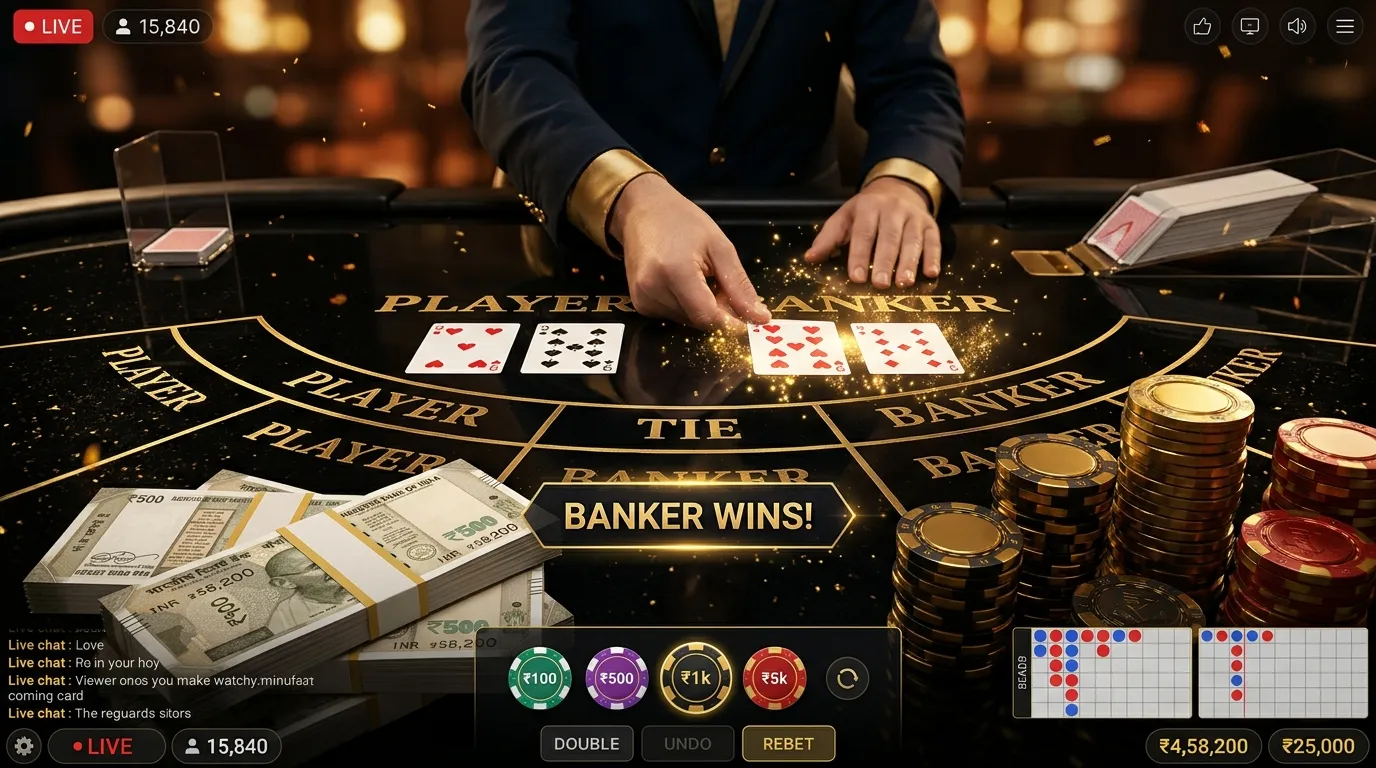
Starting Online Gaming With Answers to Common Questions
Online gaming has become a familiar form of digital entertainment, allowing people to explore interactive experiences, learn different game mechanics, and connect with other players through smartphones, computers, and other internet-enabled devices. With many types of games and platforms available, beginners often have questions about how online gaming works and what they should understand before getting started.
Some users want to know how to create a gaming account, while others are interested in understanding gameplay rules, device requirements, account security, or available payment features. Questions about privacy, fair play, and responsible gaming are also important, particularly when platforms offer optional purchases or activities involving monetary stakes.
Starting online gaming does not require advanced technical knowledge, but learning the fundamentals can make the experience easier to understand. Knowing how accounts operate, where games are downloaded, what different gaming terms mean, and how personal information is protected helps users make more informed decisions.
Online gaming also includes many different experiences. Casual puzzle games, multiplayer card games, strategy games, simulation titles, and casino-style games can operate under different rules and systems. Understanding these differences is important because not every gaming platform offers the same features, security controls, or financial arrangements.
This beginner-focused guide addresses common questions about online gaming, explaining the essential concepts, practical precautions, and useful habits that can help new players approach digital entertainment with greater awareness.
What Is Online Gaming?
Online gaming refers to playing digital games that use an internet connection for some or all of their functionality.
Depending on the game, the connection may support multiplayer interaction, account synchronization, game updates, online leaderboards, shared virtual environments, or communication between players.
Some games require a continuous internet connection, while others provide offline features alongside connected services.
How Is Online Gaming Different From Offline Gaming?
Offline games can often operate without an active internet connection once the necessary software and resources are available.
Online games may communicate with remote servers to maintain player accounts, coordinate multiplayer activity, or process game events.
For example, a single-player puzzle game might operate entirely on a smartphone, while a multiplayer card game may require a server to coordinate the actions of participants.
Does Every Online Game Involve Real Money?
No. Many online games are free to access, while others require a one-time purchase or subscription.
Some applications provide optional digital purchases, and certain services involve monetary stakes where legally permitted.
These categories should not be confused because the financial risks and legal requirements can differ significantly.
1. What Do Beginners Need Before Playing Online Games?
The basic requirements depend on the gaming platform and the type of game being played.
Most mobile gaming experiences require a compatible device, sufficient storage space, an appropriate operating system, and an internet connection when online features are used.
A Compatible Device
Online games may support Android smartphones, iPhones, tablets, desktop computers, or dedicated gaming systems.
Before installing an application, users should review its documented device and operating system requirements.
A Reliable Internet Connection
Multiplayer games often require stable connectivity because game events must be transmitted between devices and remote servers.
Connection interruptions may cause delays, disconnections, or incomplete synchronization.
Enough Device Storage
Gaming applications require storage for installation files, downloaded assets, updates, and temporary data.
Available storage requirements differ between games.
An Account When Required
Some games allow immediate access without registration, while others require players to create an account.
Accounts may support saved progress, preferences, multiplayer participation, and security settings.
2. How Do You Choose an Online Game as a Beginner?
Choosing a game should begin with understanding personal interests, preferred gameplay styles, and available time.
Different game categories offer different experiences, and popularity alone does not determine whether a game is suitable for a particular user.
Casual Games
Casual games commonly feature accessible controls and relatively straightforward objectives.
Examples include puzzle games, matching games, and simple simulation experiences.
Strategy Games
Strategy games may involve planning, resource management, and decisions that influence gameplay.
The amount of complexity varies between titles.
Multiplayer Games
Multiplayer games allow participants to interact within a shared digital environment.
Some involve cooperation, while others involve competitive gameplay.
Digital Card Games
Digital card games may reproduce traditional card rules or introduce additional online features.
Examples include Teen Patti, Rummy, Poker, and other card-based formats.
New players interested in learning a specific card game can review a beginner's guide to Teen Patti rules and hand rankings before exploring gameplay variations.
Casino-Style Games
Casino-style games may include digital slots, roulette, blackjack, baccarat, and other formats.
Some are available as free demonstrations, while monetary versions may involve financial risk and applicable legal restrictions.
Beginners should understand the game rules and eligibility requirements before participating in any activity involving real-money stakes.
3. How Can Beginners Identify a More Trustworthy Gaming Platform?
Before using a gaming application, new players should evaluate the service responsible for providing it.
A professional-looking interface does not automatically establish security, reliability, or legal authorization.
Verify Publisher Information
Check whether the application identifies its developer or operator clearly.
Compare publisher information with independently verified official sources.
Review Available Policies
A gaming platform should provide relevant information about account requirements, privacy practices, payment conditions, and user responsibilities.
Check Support Channels
Look for legitimate support contact methods and clear procedures for reporting technical or account-related problems.
Understand Legal Restrictions
Some gaming activities are subject to age requirements, regional restrictions, licensing conditions, or other legal rules.
Users should verify whether a service and its features are legally permitted where they are located.
Look Beyond Promotional Claims
Advertising statements about security, fairness, rewards, or financial outcomes should not be accepted without appropriate supporting evidence.
For further guidance, see how to identify a more trustworthy online gaming platform.
4. How Do You Download Gaming Applications Safely?
Installing an authentic application is one of the first security considerations for new players.
Fraudulent or modified applications may imitate legitimate games while requesting sensitive permissions or collecting personal information.
Use Verified Distribution Sources
Obtain applications through authorized app marketplaces or official publisher channels.
When a game is distributed through a direct download, independently verify the source and publisher.
Check Application Details
Review the developer name, supported operating system, version information, and documented functionality.
Be Cautious With Unknown APK Files
Android installation packages obtained from unfamiliar websites may present additional security risks.
Users should not disable security protections merely because a website instructs them to do so.
Install Updates Through Authentic Channels
Application updates may improve stability, compatibility, and security.
Use update sources recognized by the legitimate publisher.
Understanding how to find safer gaming application download sources can help beginners recognize unnecessary installation risks.
5. How Do Online Gaming Accounts Work?
A gaming account provides a way for a platform to recognize and manage a user's participation.
Depending on the service, an account may store a player profile, game progress, preferences, purchase records, and connected devices.
Account Registration
Registration may involve creating a username, providing an email address, establishing credentials, or completing another supported sign-up process.
The exact requirements vary by provider.
Account Login
Login procedures confirm that the person attempting access is authorized to use the account.
Platforms may use passwords, passkeys, verification codes, or linked identity providers.
Account Recovery
Recovery systems help eligible users regain access when credentials are forgotten or an account becomes inaccessible.
Because recovery features can also be targeted by attackers, users should protect associated email accounts and other recovery channels.
Account Verification
Some services require additional identity checks depending on account functionality, applicable regulations, and operator policies.
For a detailed explanation, review how online gaming account registration, login, and verification work.
6. How Can New Players Protect Their Gaming Accounts?
Gaming account security helps protect personal information, saved progress, and any connected payment features.
Beginners should establish appropriate security habits from the beginning rather than waiting for suspicious activity to occur.
Create Strong and Unique Passwords
Avoid using the same password across multiple gaming, email, and financial accounts.
A reputable password manager can help create and store unique credentials.
Enable Additional Authentication
When available, enable multifactor authentication or supported passkey-based login.
These technologies can reduce exposure to certain account takeover attacks.
Protect Account Recovery Information
Keep recovery email accounts secure and ensure that recovery settings remain accurate.
Review Connected Devices
Some platforms allow users to review active sessions or recognized devices.
Unexpected sessions should be investigated.
Never Share Verification Codes
Authentication codes may authorize account access or sensitive changes.
Do not disclose them to unfamiliar contacts or anyone claiming to provide unofficial support.
Additional guidance is available in protecting your gaming account from unauthorized access.
7. What Basic Gaming Terms Should Beginners Understand?
Online games use terminology that describes controls, player actions, game systems, and account features.
Understanding common terms makes instructions and interface messages easier to interpret.
Gameplay
Gameplay refers to the actions, decisions, rules, and interactions involved in playing a game.
Multiplayer
Multiplayer describes a game mode in which more than one participant can play within the same experience.
Server
A server is a system that provides services, processes information, or coordinates activity for connected users.
Latency
Latency refers to the time required for information to travel between systems.
High latency can create noticeable delays in responsive online games.
Matchmaking
Matchmaking is a process used by some multiplayer systems to group players into sessions or matches.
RNG
RNG stands for random number generator. It refers to technology used to produce random or pseudorandom outcomes in certain digital systems.
In-App Purchase
An in-app purchase is a transaction completed through an application to obtain a supported digital product, feature, or service.
Virtual Currency
Virtual currency is a digital unit used within a particular gaming system.
Its purchase, use, transfer, and redemption conditions depend on the platform.
New players can explore common gaming terminology for beginners to become familiar with additional expressions.
8. Why Is It Important to Understand Game Rules First?
Every game operates according to specific rules and mechanics.
Understanding these rules helps players distinguish valid actions, recognize how results are determined, and avoid unnecessary confusion.
Different Games Use Different Objectives
Some games require players to complete puzzles, while others involve reaching scores, forming card combinations, or completing strategic objectives.
Similar Games May Have Different Variations
Card games may offer several variants with different hand rankings, scoring systems, or turn procedures.
Players should not assume that rules learned in one version automatically apply to another.
Learn Controls Before Competitive Play
Understanding available controls reduces accidental actions and makes gameplay easier to follow.
Review Official Game Instructions
Where available, consult the specific game's rules screen or official documentation.
For card game beginners, an introduction to online Rummy rules and gameplay provides an example of how digital card game structures can differ from other formats.
9. What Makes Online Multiplayer Gaming Possible?
Multiplayer gaming depends on communication between connected devices and supporting infrastructure.
Players interact with a shared system that coordinates game activity and distributes relevant updates.
Communication With Game Servers
When a player performs an action, the game may transmit information to a remote server.
The server can process the action and communicate updated information to other connected participants.
Synchronizing Gameplay
Synchronization helps maintain a consistent representation of the game across participating devices.
Handling Player Connections
Multiplayer systems must manage participants joining, leaving, or temporarily disconnecting.
Why Network Stability Matters
Unstable connections can cause delays, interrupted sessions, and other performance issues.
Readers interested in the technology can explore how multiplayer systems connect players in real time.
10. How Can Beginners Improve Online Gaming Performance?
Gaming performance depends on several factors, including device capabilities, software compatibility, and connection quality.
A slow or unstable experience does not always mean that the gaming application itself is defective.
Check Device Requirements
Compare the device's operating system, memory, and processing capabilities with the game's published requirements.
Maintain Free Storage
Insufficient storage can interfere with installations, updates, and some application functions.
Close Unnecessary Background Activities
Applications consuming significant system resources may affect performance on some devices.
Use a Stable Connection
For online multiplayer games, connection stability can be more important than simply having a high advertised download speed.
Keep Software Updated
Supported operating system and application updates may address performance issues or compatibility problems.
Watch for Overheating
Extended gaming sessions can increase device temperature, particularly during demanding gameplay.
Thermal management may reduce performance when devices become too hot.
11. Are Online Game Results Always Random?
Not every online game determines results in the same way.
Some games rely heavily on player decisions, while others incorporate random events or combinations of skill and chance.
Skill-Based Gameplay
Some games involve decisions related to timing, strategy, coordination, or problem-solving.
These abilities can influence gameplay, although their effect depends on the game.
Randomized Outcomes
Other games use random number generation or related mechanisms to determine selected events.
Games Combining Skill and Chance
Some card games combine player decisions with randomly distributed cards or other uncertain events.
Understanding Fairness
Claims about fairness should be evaluated using appropriate evidence, such as published rules, technical documentation, or credible independent testing where relevant.
Randomness alone does not prove that every implementation is fair or independently audited.
For additional context, review how independent testing relates to casino game fairness.
12. Do Beginners Need to Make Payments to Enjoy Online Gaming?
Not necessarily. Many online games provide free access or limited features without requiring a payment.
Other games may involve subscriptions, optional purchases, or paid access.
Free-to-Play Games
Free-to-play games may allow users to access the basic experience without an initial purchase.
Some offer optional paid features.
Paid Games
Other titles require a one-time purchase or subscription before access is provided.
Optional Digital Purchases
Some platforms sell virtual items, cosmetic features, or additional content.
Monetary Gaming Features
Where legally permitted, certain gaming services involve deposits and activities in which money can be lost.
These should be distinguished from ordinary digital purchases because the financial consequences are different.
Understand Payment Terms
Before authorizing any transaction, check the amount, recipient, fees, refund conditions, and applicable restrictions.
Beginners can review safe online payment practices to better understand digital transaction precautions.
13. Why Should Beginners Track Gaming Expenses?
Financial awareness is useful even when individual purchases seem inexpensive.
Several small transactions across different applications may accumulate into a larger expense.
Set a Personal Entertainment Budget
Determine how much money can reasonably be allocated to entertainment after essential financial responsibilities are addressed.
Monitor Recurring Charges
Subscriptions may renew automatically according to their terms.
Review Payment History
Transaction records help users confirm purchases, identify unexpected charges, and compare actual expenses with planned spending.
Avoid Spending Under Pressure
Limited-time promotions and reward offers can encourage impulsive purchasing decisions.
Respect Financial Limits
A spending limit is most useful when it remains in effect even when a purchase seems attractive or a game produces an unfavorable outcome.
For practical strategies, see setting financial boundaries for digital entertainment.
14. How Can Beginners Recognize Gaming Scams?
Gaming-related scams may involve fake applications, fraudulent rewards, impersonated support accounts, or attempts to obtain credentials.
Beginners should learn to identify warning signs before sharing personal or financial information.
Unexpected Requests for Passwords
Legitimate support processes should not require users to disclose account passwords to another person.
Suspicious Reward Messages
Messages promising unrealistic rewards or demanding unexpected payments should be independently verified.
Imitation Download Pages
Fraudulent websites may imitate recognized gaming brands while distributing modified applications.
Requests for One-Time Codes
Authentication codes may authorize login attempts or financial actions.
Never disclose them because someone claims they are needed to activate a prize or fix a payment problem.
Pressure to Act Immediately
Urgency can be used to discourage users from checking whether a request is legitimate.
If something seems suspicious, access the relevant service through independently verified channels instead of following the supplied link.
15. How Do Beginners Protect Their Privacy While Gaming?
Online gaming services may collect account information, technical device data, gameplay activity, and other information according to their functionality and privacy practices.
Users should understand what they share and why it is requested.
Review Privacy Policies
Check how a platform describes its data collection, processing, sharing, and retention practices.
Limit Public Profile Information
Avoid placing unnecessary personal details in public usernames, profiles, or gaming chats.
Understand Application Permissions
Review whether requested access to device features is necessary for the game's stated functions.
Be Careful With Social Interactions
Other players should not automatically be treated as trustworthy simply because they participate in the same game.
Protect Financial Information
Payment credentials, banking PINs, and transaction authorization codes should remain confidential.
Additional privacy practices are discussed in online privacy tips for gamers.
16. What Are Responsible Online Gaming Habits?
Responsible gaming involves maintaining appropriate boundaries around entertainment activities.
These boundaries may concern time, money, attention, and personal wellbeing.
Set Time Limits
Decide how much time can reasonably be spent on gaming without interfering with other responsibilities.
Take Regular Breaks
Pauses can reduce prolonged screen exposure and provide opportunities to reassess whether to continue.
Avoid Gaming During Important Responsibilities
Gaming should not interfere with work, education, rest, or essential daily activities.
Maintain Financial Boundaries
Optional entertainment expenses should remain affordable.
For monetary gaming, users should recognize the possibility of losing funds and avoid increasing stakes in an attempt to recover previous losses.
Recognize When to Stop
Frustration, fatigue, repeated spending beyond limits, or difficulty disengaging may indicate a need to stop playing or seek additional support.
For more information, review responsible gaming habits, budgeting, and healthy play.
17. Common Beginner Mistakes in Online Gaming
New players may encounter avoidable difficulties when they begin using unfamiliar platforms.
Skipping Game Instructions
Beginning without understanding the rules can lead to confusion about game actions and outcomes.
Downloading Unverified Software
Unknown applications may introduce security and privacy risks.
Reusing Passwords
Using identical passwords across unrelated services increases the potential impact of account compromise.
Ignoring Device Compatibility
Installing demanding games on unsupported devices can result in unstable performance.
Confusing Virtual Items With Withdrawable Money
Digital currencies and resources do not necessarily have cash value or withdrawal rights.
Assuming Every Game Has Identical Rules
Different variations may use different controls, scoring methods, and gameplay structures.
Trusting Unverified Promotions
Unrealistic reward claims or unexpected payment requests may indicate misleading or fraudulent activity.
Ignoring Spending Records
Failure to review purchases can make it difficult to recognize cumulative expenses.
Playing Without Breaks
Extended sessions can contribute to fatigue and interfere with other responsibilities.
Believing Past Random Outcomes Guarantee Future Results
Previous results do not establish certainty about future events in games involving randomness.
18. A Practical Checklist for Starting Online Gaming
Beginners can use the following process to prepare for their first online gaming experience.
Step 1: Identify Your Gaming Preferences
Decide whether casual games, strategy games, digital card games, or multiplayer experiences are of interest.
Step 2: Verify Device Compatibility
Check the game's operating system, storage, and hardware requirements.
Step 3: Confirm the Application Source
Use a legitimate marketplace or independently verified publisher channel.
Step 4: Review Operator Information
Check the developer, applicable terms, privacy disclosures, and service restrictions.
Step 5: Create a Secure Account
Use unique credentials and supported authentication protections.
Step 6: Understand the Game Rules
Read official instructions before participating.
Step 7: Explore Available Learning Features
Where available, tutorials or free demonstration modes can help users understand controls and mechanics without monetary risk.
Step 8: Review Social Features
Understand how chat, friend requests, reporting tools, and privacy settings operate.
Step 9: Check Payment Conditions
If purchases are offered, review their prices, terms, and refund limitations before authorizing a transaction.
Step 10: Set Entertainment Boundaries
Establish appropriate time and spending limits.
Step 11: Monitor Account Activity
Review security notifications, recognized devices, and payment activity.
Step 12: Reassess the Experience
Consider whether the game continues to provide appropriate entertainment value without interfering with important responsibilities.
19. How Can New Players Build Confidence With Online Gaming?
Confidence develops through familiarity with controls, platform features, and game rules.
Beginners do not need to understand every technical detail immediately.
Begin With Basic Features
Learn how to navigate menus, adjust settings, and access game instructions.
Use Tutorials When Available
Guided learning features can introduce controls and objectives at a manageable pace.
Understand Mistakes as Part of Learning
Unfamiliar gameplay may require practice, particularly in games involving complex rules.
Ask Questions Through Legitimate Channels
Official support resources and reliable educational material can clarify questions about account functionality or game rules.
Focus on Entertainment Rather Than Financial Outcomes
For games involving monetary stakes, no level of familiarity guarantees positive financial results.
Learning should not require risking money that cannot comfortably be lost.
20. Maintaining a Positive and Sustainable Online Gaming Experience
Online gaming can provide different forms of entertainment, including problem-solving, social interaction, and opportunities to explore digital experiences.
Maintaining a sustainable routine requires attention to security, financial awareness, and personal priorities.
Keep Account Information Secure
Use appropriate authentication and avoid sharing sensitive credentials.
Review Game Updates and Changes
New software versions may introduce features, modify controls, or address security issues.
Monitor Device Performance
Maintain sufficient storage, supported software, and suitable connectivity.
Evaluate Entertainment Costs
Review subscriptions, purchases, and other optional expenses.
Maintain Healthy Gaming Boundaries
Set aside time for rest, social activities, work, and other responsibilities.
Recognize the Limits of Gaming Claims
Claims about guaranteed outcomes, security, fairness, or financial rewards should be assessed using credible evidence.
Beginner's Online Gaming Checklist
Before beginning a new online gaming activity, review the following checklist.
- Choose a game that matches your interests and preferences.
- Confirm that the game is appropriate for your age and location.
- Review the application's device requirements.
- Use an authentic download source.
- Verify publisher and operator information.
- Read relevant terms and privacy disclosures.
- Create strong, unique account credentials.
- Enable additional authentication where available.
- Protect account recovery information.
- Understand the basic controls and rules.
- Explore tutorials or free demonstration features when appropriate.
- Check internet connection stability.
- Keep device software updated.
- Review application permissions.
- Understand the platform's social features.
- Avoid sharing personal information with unfamiliar players.
- Verify payment methods before making purchases.
- Understand any financial or legal restrictions.
- Track entertainment expenses.
- Establish realistic time and spending boundaries.
- Recognize suspicious messages and fraudulent promotions.
- Use official support channels for account problems.
- Take regular breaks from extended sessions.
- Remember that random game outcomes cannot be guaranteed.
Starting online gaming becomes easier when beginners understand the basic technology, rules, security requirements, and financial considerations involved. Choosing legitimate platforms, protecting accounts, learning game mechanics, and establishing responsible entertainment habits can help users approach digital gaming with clearer expectations and greater control.
Frequently Asked Questions
What is online gaming for beginners?
Online gaming involves playing digital games that use internet connectivity for features such as multiplayer activity, account services, updates, or online interactions. Beginners can start by choosing an appropriate game, understanding its rules, and learning the basic controls.
Do I need a powerful phone to play online games?
Not always. Hardware requirements depend on the game. Many casual mobile games operate on ordinary smartphones, while graphics-intensive titles may require more memory, processing power, or storage. Review the application's published requirements before installation.
Is an internet connection required for all mobile games?
No. Some games operate offline, while others require internet access for multiplayer sessions, account synchronization, or other features. Certain applications support both online and offline functionality.
Can beginners play online games for free?
Yes. Many online games offer free access or demonstration modes. Other games may require purchases or subscriptions. Users should review the applicable terms and understand which features involve payment.
How do I choose my first online game?
Consider preferred gameplay style, device compatibility, game complexity, age suitability, and available time. Reading official instructions and reviewing the game's features can help determine whether it is appropriate.
How can I tell whether an online gaming platform is trustworthy?
Verify the operator's identity, review official policies, investigate available support channels, and examine relevant security or licensing claims. A professional-looking website alone does not establish legitimacy.
Is downloading a gaming APK safe?
An APK is an Android application installation package. Its safety depends on its source, authenticity, integrity, and permissions. Use verified distribution channels and avoid unfamiliar files that request unnecessary access or require disabling normal security protections.
Why do online games ask users to create accounts?
Accounts may support player identification, saved progress, multiplayer participation, preferences, purchases, and account recovery. Registration requirements depend on the game and its provider.
What information should I avoid sharing in gaming chats?
Avoid sharing passwords, authentication codes, payment credentials, recovery information, and unnecessary personal details. Other players should not automatically be considered trustworthy simply because they participate in the same game.
What is the difference between single-player and multiplayer gaming?
Single-player games primarily focus on one participant, while multiplayer games involve interaction between multiple players. Multiplayer experiences may require servers to coordinate actions and maintain shared game information.
What does RNG mean in online games?
RNG means random number generator. It refers to technology that produces random or pseudorandom outcomes used by certain digital games. The presence of an RNG does not independently guarantee that a game is fair or audited.
Are all online games based on luck?
No. Some games emphasize strategy, coordination, timing, or problem-solving, while others involve random outcomes. Certain games combine skill-based decisions with elements of chance.
Why does an online game sometimes lag?
Lag can result from network latency, unstable connectivity, device performance limitations, or server conditions. Reviewing the connection and device requirements can help identify possible causes.
Can I play online games on different devices?
Some games offer cross-device or cross-platform support, allowing accounts or progress to be accessed on compatible systems. Availability depends on the publisher's supported features and synchronization arrangements.
Do I need to provide banking information to play online games?
Not necessarily. Many games do not require financial information for basic access. Payment details may be requested when purchasing content or using supported financial features. Users should verify the provider and transaction requirements before submitting information.
What are in-app purchases?
In-app purchases are transactions made within applications to obtain digital content, features, subscriptions, or other supported products. Their pricing, refund conditions, and availability depend on the platform.
Can I get a refund for a gaming purchase?
Refund eligibility varies according to the product, payment provider, applicable terms, and consumer protection requirements. Users should review the relevant refund policy and preserve transaction records when requesting assistance.
How can beginners avoid gaming-related scams?
Use authentic applications, verify payment requests, protect account credentials, and avoid suspicious messages promising unrealistic rewards. Contact legitimate support services through independently verified channels.
Is online casino gaming legal everywhere?
No. Laws governing monetary gaming vary between jurisdictions and may impose restrictions on operators, participants, payment methods, and specific gaming activities. Users should verify applicable legal requirements before participating.
Can online gaming guarantee real-money winnings?
No. Games involving monetary stakes can result in financial losses. Past outcomes, strategies, and promotional claims do not guarantee future winnings or establish reliable income.
How much time should beginners spend playing online games?
There is no single appropriate duration for everyone. Gaming time should fit around personal responsibilities, rest, health, and other activities. Regular breaks and predetermined time boundaries can help maintain a balanced routine.
How can I protect my gaming account from hackers?
Use unique passwords, enable supported multifactor authentication, secure recovery channels, keep software updated, and avoid suspicious login links. Investigate unexpected account activity through official support channels.
What should I do if I forget my gaming password?
Use the platform's official account recovery process. Avoid third-party websites or individuals claiming they can recover accounts in exchange for sensitive information or unexpected payments.
What should I do if my game keeps disconnecting?
Check the internet connection, restart the application if appropriate, review software updates, and confirm device compatibility. If problems continue, contact the provider's official technical support with relevant error details.
What is the best way to begin online gaming responsibly?
Choose a legitimate and suitable game, understand its rules, protect personal information, and establish reasonable time and financial boundaries. Avoid treating gaming as a source of guaranteed income and focus on maintaining an entertainment experience that fits personal circumstances.
Setting Financial Boundaries for Digital Entertainment
Next ArticleEssential Terms Every New Digital Player Should Understand
Related Posts