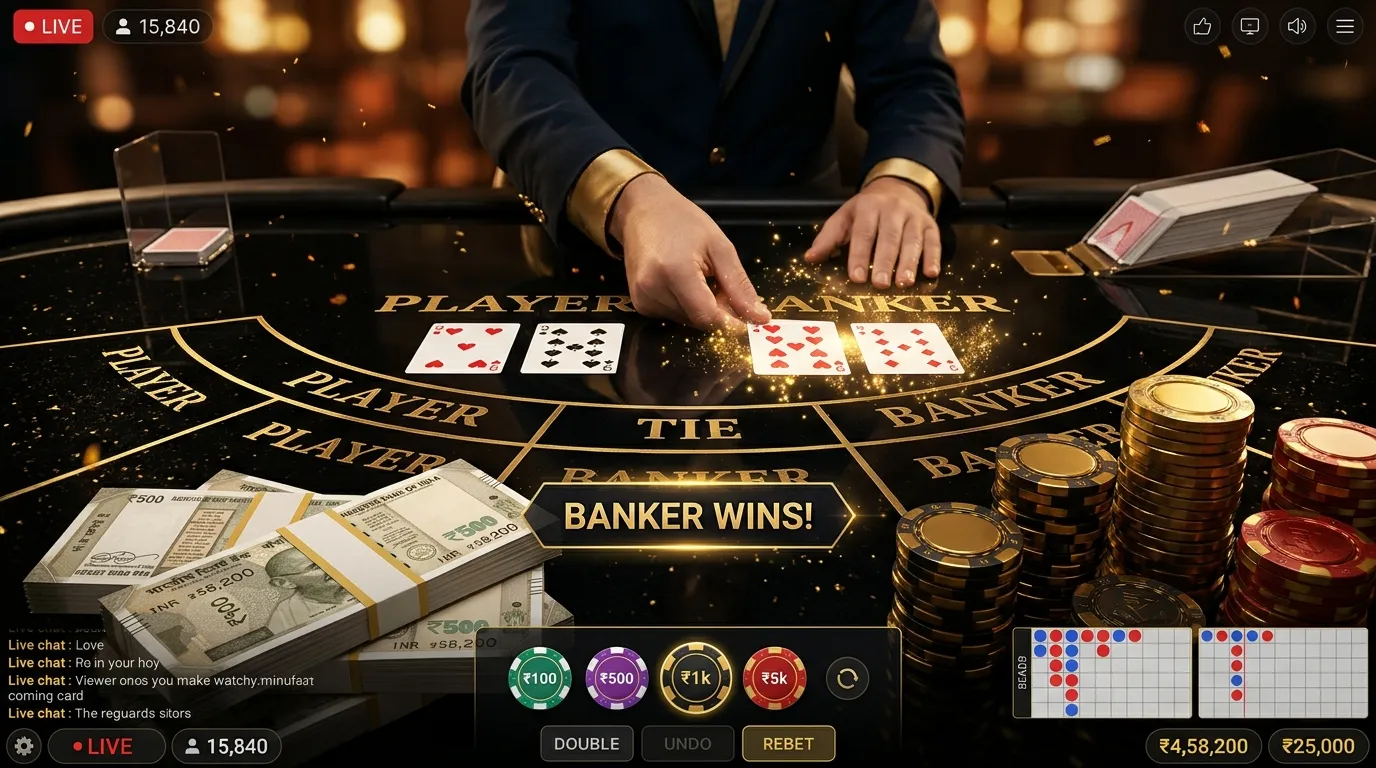
Interactive Features That Encourage Player Connection
Online gaming has developed into a highly connected form of digital entertainment. While gameplay mechanics, graphics, and performance remain important, many modern gaming experiences also include interactive features that allow players to communicate, cooperate, compete, and build connections with others.
These features transform gaming from an activity focused exclusively on individual actions into an experience that can involve shared objectives, conversations, and ongoing social interaction. Whether players participate in multiplayer card games, cooperative challenges, casual mobile games, or large online worlds, interactive systems can influence how they experience a gaming platform.
Player connection is not limited to direct conversations. Simple features such as friend lists, player profiles, shared leaderboards, invitations, reactions, and multiplayer matchmaking can create opportunities for interaction. More advanced systems may support real-time communication, persistent groups, collaborative activities, and community events.
However, social functionality requires thoughtful implementation. Privacy protections, accessible controls, appropriate moderation, and clear communication settings help ensure that interaction remains useful without becoming intrusive or creating unnecessary risks.
Understanding interactive features that encourage player connection provides insight into how online gaming platforms support communities, improve communication, and create shared digital experiences. This guide examines the most common social features, the technology supporting them, and the practical considerations that help players interact safely and responsibly.
What Are Interactive Features in Online Gaming?
Interactive gaming features are tools and systems that allow players to communicate, participate in shared activities, or influence a common digital environment.
Some features operate directly within gameplay, while others support social interaction before or after a gaming session.
Gameplay Interaction
Gameplay interaction occurs when player actions affect a shared game environment or influence the experience of other participants.
Examples include cooperative objectives, competitive matches, turn-based card games, and shared challenges.
Social Interaction
Social interaction involves communication and relationship-building features such as messaging, friend lists, group invitations, and player profiles.
Community Interaction
Community interaction extends beyond individual matches and may involve discussion groups, organized events, shared resources, or recurring activities.
Why These Features Matter
Interactive systems create opportunities for players to exchange information, recognize familiar participants, and engage with shared activities.
Their value depends on how well they support the game's purpose and the needs of its users.
For a broader explanation, explore social features that bring more interaction to gaming applications.
1. Multiplayer Game Modes Create Shared Experiences
Multiplayer gameplay is one of the most recognizable ways digital games connect participants.
Instead of interacting only with computer-controlled systems, players participate alongside or against other people.
Competitive Multiplayer
Competitive multiplayer games allow individuals or teams to pursue objectives while competing against other participants.
Examples include digital card matches, racing games, strategy competitions, and other shared gaming experiences.
Cooperative Multiplayer
Cooperative games require or encourage players to work together toward shared objectives.
Participants may need to coordinate timing, exchange information, or complete complementary tasks.
Turn-Based Multiplayer
Turn-based multiplayer systems organize actions into defined sequences.
Digital card games frequently use this structure, allowing participants to make decisions according to the applicable rules.
Real-Time Multiplayer
Real-time multiplayer games process actions continuously, allowing participants to respond to changing circumstances within a shared environment.
How Multiplayer Encourages Connection
Repeated interactions can create familiarity between players and provide opportunities for communication and cooperation.
However, multiplayer participation does not automatically require personal relationships or communication outside the game.
2. Matchmaking Systems Help Players Find Each Other
Matchmaking systems organize participants into multiplayer sessions.
These systems reduce the need for players to manually locate others before beginning a game.
Automatic Matchmaking
Automatic matchmaking assigns players to available sessions according to the platform's supported rules.
Depending on the game, relevant factors may include region, availability, connection quality, or performance indicators.
Skill-Based Matchmaking
Some games use estimates of player ability to organize matches.
The purpose may be to create competitive experiences involving participants with broadly comparable performance levels.
Regional Matchmaking
Regional systems may consider geographic proximity or network characteristics when placing players into sessions.
This can help reduce some connection-related problems, although server conditions and individual networks remain important.
Friend-Based Matchmaking
Some platforms allow users to join sessions with selected friends or invited players.
Matchmaking Limitations
No matchmaking system can guarantee identical player abilities, perfect connection quality, or positive social interactions.
Results depend on the available participants and the rules used by the platform.
3. In-Game Chat Enables Direct Communication
Communication tools help players exchange information while participating in shared activities.
Many gaming platforms provide text-based communication, voice features, or predefined message options.
Text Chat
Text chat allows users to send written messages through a supported gaming interface.
It may be available in multiplayer lobbies, active matches, or community areas.
Voice Chat
Voice chat allows participants to communicate through audio connections.
It can be useful in games that require rapid coordination.
Private Messaging
Some services provide direct messages between connected users.
Private messaging can support ongoing conversations but also requires appropriate privacy controls.
Group Chat
Group chat enables multiple participants to communicate within the same conversation.
Predefined Messages
Some games provide preset expressions, greetings, or instructions.
These can support communication when players prefer not to type or use voice chat.
Communication Safety
Players should avoid sharing sensitive personal information, banking credentials, or authentication codes through chat.
Blocking, muting, and reporting tools can help manage unwanted interaction.
4. Friend Lists Support Ongoing Player Connections
Friend lists allow users to maintain connections with other players inside a gaming platform.
Rather than locating the same participants repeatedly, users may be able to find recognized contacts through an account-based interface.
Adding Friends
Depending on the platform, users may send requests, exchange player identifiers, or connect through supported account features.
Viewing Friend Activity
Some games display whether connected players are online, participating in a match, or available for invitations.
Sending Invitations
Invitation systems allow users to request that another player join a supported session.
Managing Connections
Players may be able to remove contacts, restrict invitations, or manage who can view their activity.
Friend Lists and Privacy
Users should review whether their friend lists, online status, or activity information are visible to others.
Friendship features are useful when participation remains voluntary and appropriately controlled.
5. Player Profiles Help Establish Digital Identity
Player profiles provide a way to distinguish participants within a gaming platform.
Profiles may display usernames, avatars, achievements, rankings, or selected account information.
Usernames
A username identifies a player within a supported game or service.
Users should avoid including unnecessary personal details in publicly visible usernames.
Avatars
Avatars provide visual representations of players.
They may involve preset characters, illustrations, or customizable designs.
Achievements
Some platforms display achievements associated with completed objectives or participation milestones.
Profile Customization
Customization options may allow players to select visual preferences or personal presentation settings.
Online Status
Some profiles indicate whether a player is currently connected or available.
Public and Private Information
Profile design should make appropriate distinctions between information intended for public display and details that should remain confidential.
Understanding online privacy practices for gamers can help users make informed decisions about their digital identities.
6. Player Groups and Clubs Encourage Community Participation
Some games allow participants to organize themselves into persistent groups.
These groups may be called clubs, guilds, teams, clans, or communities depending on the platform.
Shared Group Identity
Groups may use a common name, description, or visual identity.
Organized Activities
Group members may participate in scheduled matches, cooperative challenges, or discussions.
Group Communication
Dedicated communication channels can help members share information and coordinate participation.
Group Roles
Some platforms assign administrative or organizational permissions to selected members.
Membership Controls
Groups may allow open participation, invitations, or approval-based membership.
Community Guidelines
Clear behavioral expectations can help reduce conflict and inappropriate conduct within persistent groups.
For additional context, review how gaming communities create social connections.
7. Shared Challenges Encourage Cooperation
Shared challenges give participants a common objective that may require multiple players to contribute.
They can create opportunities for teamwork and collective participation.
Cooperative Objectives
Players may work together to complete a mission or achieve a shared target.
Group Progress Tracking
Some systems show how individual contributions affect group progress.
Collaborative Problem-Solving
Games may introduce challenges requiring participants to exchange information or coordinate actions.
Event-Based Objectives
Temporary events can organize players around activities available during a defined period.
Optional Participation
Players should be able to evaluate whether a challenge fits their interests and available time.
Group activities become less constructive when participation depends on excessive pressure or unnecessary financial commitments.
8. Leaderboards Create Shared Performance References
Leaderboards display player performance according to a defined ranking system.
They can provide a shared reference for comparing results or recognizing completed objectives.
Individual Rankings
Some leaderboards display the relative positions of individual participants.
Team Rankings
Other systems compare groups or teams.
Time-Limited Rankings
Rankings may reset after a defined period, allowing comparisons within specific events or seasons.
Achievement-Based Rankings
Some systems measure completed objectives rather than direct competitive results.
Healthy Competition
Leaderboards can support friendly competition, but rankings should not become the only measure of an enjoyable gaming experience.
Understanding Ranking Limitations
A leaderboard reflects the platform's scoring methodology.
It does not automatically establish that every player has identical circumstances, access, or experience.
9. Reactions and Emotes Enable Lightweight Interaction
Not every social interaction requires a written conversation.
Some games use reactions, animations, and predefined expressions to support quick communication.
Emotes
Emotes are visual or animated expressions that communicate a reaction or feeling within the game.
Reaction Buttons
Reaction features allow users to respond through predefined symbols or messages.
Greetings
Simple greeting options can help players acknowledge others when joining a session.
Positive Feedback
Some systems allow participants to recognize teamwork or respectful behavior.
Accessibility Benefits
Predefined interactions can provide alternatives for users who prefer not to communicate through voice or lengthy text.
Preventing Misuse
Platforms may need controls to reduce repetitive or disruptive use of reactions.
10. Live Events Bring Players Together
Live gaming events create opportunities for participants to engage in activities organized around a particular schedule or objective.
Community Events
These may involve group discussions, social activities, or special gameplay modes.
Seasonal Activities
Some games organize events around holidays, seasons, or other defined periods.
Competitive Events
Organized competitions may use published rules and performance criteria.
Collaborative Events
Players may work together toward shared objectives during a limited period.
Event Notifications
Notifications can inform interested players about upcoming activities.
Participation Boundaries
Users should review event conditions, scheduling requirements, and any associated costs before participating.
Limited-time availability should not create an obligation to play or spend money.
11. Notifications Help Players Stay Connected
Notifications can communicate useful information about gaming activity and social interactions.
When designed appropriately, they help users remain informed without requiring constant application monitoring.
Friend Invitations
Notifications may alert users when another player invites them to join a session.
Group Activity
Some platforms announce important group messages or scheduled activities.
Account Notifications
Security alerts may inform users about account changes or unusual login activity.
Game Updates
Notifications may provide information about new features or maintenance events.
Promotional Notifications
Marketing messages can encourage engagement but may become intrusive when delivered excessively.
User Notification Controls
Players should be able to adjust unnecessary notifications where the platform supports those settings.
Understanding how game notifications influence player behavior can help users evaluate the effects of repeated alerts.
12. Real-Time Features Depend on Reliable Technical Infrastructure
Interactive gaming systems require technology capable of processing and distributing information between connected participants.
The specific architecture depends on the game, but many systems use client-server communication.
Client Applications
The gaming application operating on a player's device acts as a client that communicates with supporting services.
Game Servers
Servers may process game events, maintain shared sessions, and distribute updates.
Network Latency
Latency refers to the time required for data to travel between systems.
High latency can create delays in interactions requiring rapid responses.
Synchronization
Synchronization helps maintain consistent information across connected devices.
Connection Recovery
Some platforms include mechanisms that allow players to reconnect after temporary network interruptions.
Scalable Infrastructure
Services with many simultaneous users may require infrastructure capable of handling substantial network and processing demand.
For more technical information, explore the technology supporting live multiplayer gaming experiences.
13. Interactive Features in Digital Card Games
Digital card games provide examples of how traditional game structures can be adapted for connected participation.
Although gameplay rules remain important, online systems may introduce additional social and interface features.
Virtual Tables
Virtual tables provide a shared interface where eligible participants can view game activity.
Turn Indicators
Turn indicators show which participant is expected to act.
Player Avatars
Avatars may help participants recognize others at the same table.
Table Messaging
Some digital card games support predefined greetings, reactions, or chat options.
Session Invitations
Depending on the platform, users may be able to invite selected contacts to join supported game sessions.
Game Result Displays
Result screens provide information about completed rounds according to the applicable rules.
Different Platform Implementations
These features are not available in every digital card game.
Players should review the specific application's documented functionality rather than assuming that all services provide identical social tools.
14. Community Interaction Can Support Player Learning
Social features can help players exchange explanations and learn unfamiliar game systems.
However, informal advice should be evaluated carefully, particularly when it concerns financial outcomes or account security.
Discussing Game Rules
Players may exchange explanations about objectives, scoring systems, or available actions.
Sharing Technical Experiences
Community discussions may help users recognize device compatibility problems or common application issues.
Explaining Interface Features
Experienced users may describe where settings and controls are located.
Supporting Beginners
Constructive communities can provide information without ridiculing users for unfamiliarity.
Verifying Important Advice
Official documentation remains the appropriate reference for game rules, payment requirements, and security procedures.
Beginners can also consult essential gaming terminology for new digital players when unfamiliar expressions appear in community discussions.
15. Privacy Controls Are Essential for Social Features
Interactive features may involve information about player identities, communication activity, and account connections.
Privacy settings help users maintain control over how this information is displayed or shared.
Profile Visibility
Some platforms allow users to control who can view their profiles or activity.
Friend Request Restrictions
Supported settings may allow users to limit invitations from unfamiliar accounts.
Chat Permissions
Communication controls can restrict who may send direct messages.
Online Status Settings
Some games allow players to manage whether their availability is visible.
Personal Information Protection
Players should avoid unnecessarily disclosing real names, addresses, phone numbers, financial details, or account recovery information.
Reviewing Privacy Policies
Platform privacy disclosures can explain how personal data is collected, processed, and shared.
Users can review how to understand privacy policies before using gaming applications for additional guidance.
16. Moderation and Reporting Features Protect Community Interaction
Communication systems can create opportunities for harassment, impersonation, unwanted messages, or deceptive behavior.
Moderation and reporting tools help platforms manage these risks.
Community Guidelines
Guidelines establish expectations for acceptable conduct.
Reporting Tools
Reporting features allow users to flag behavior that may violate platform policies.
Blocking
Blocking can help prevent unwanted contact from specific accounts.
Muting
Muting may restrict messages or notifications without necessarily removing a player from the platform.
Automated Moderation
Some systems use automated techniques to identify potentially inappropriate content.
Human Review
Human moderators may evaluate reports or complex cases that require additional context.
Transparent Enforcement
Clear procedures help users understand how community rules are applied.
Effective moderation supports safer interactions but cannot eliminate every possible problem.
17. Avoiding Unwanted Social Pressure in Gaming
Interactive features can make gaming more engaging, but they may also create expectations about participation, performance, or spending.
Players should retain control over their own choices.
Pressure to Remain Online
Friend invitations and group activities may encourage users to continue playing longer than intended.
Competitive Comparison
Leaderboards and rankings can influence how players judge their own performance.
Optional Purchases
Community trends may encourage spending on cosmetic items, memberships, or other digital features.
Event Participation
Limited-time events can create a sense of urgency.
Maintaining Independent Boundaries
Players should evaluate activities according to personal interests, available time, and financial circumstances.
Financial Risk Awareness
In games involving monetary stakes, social pressure should never determine how much money someone is willing to risk.
For practical guidance, review setting financial boundaries for digital entertainment.
18. Accessibility Makes Interactive Features More Inclusive
Interactive systems should account for differences in user preferences, device capabilities, and accessibility requirements.
Readable Text
Chat interfaces and social menus should provide clear, legible information.
Alternative Communication Options
Predefined messages and visual reactions may provide alternatives to voice communication.
Adjustable Audio
Volume and notification settings can help users manage sound-based interactions.
Clear Interface Labels
Consistent navigation and descriptive controls make features easier to understand.
Accessible Reporting Tools
Safety controls should be straightforward to locate and operate.
Device Compatibility
Interactive features should function appropriately across the devices officially supported by the platform.
Broader design considerations are covered in the features that shape a user-friendly gaming experience.
19. How to Evaluate Social Features Before Joining a Gaming Platform
Players can evaluate interactive features before deciding whether a platform matches their preferences.
Step 1: Identify Available Multiplayer Modes
Review whether the game supports the desired type of interaction.
Step 2: Check Communication Options
Determine whether text chat, voice chat, predefined messages, or other tools are available.
Step 3: Review Privacy Controls
Understand how profile visibility, friend requests, and messages can be managed.
Step 4: Locate Safety Features
Check whether blocking, muting, and reporting functions are accessible.
Step 5: Review Community Guidelines
Identify the behavioral standards expected of participants.
Step 6: Understand Account Requirements
Determine whether registration or additional verification is needed.
Step 7: Check Device Compatibility
Make sure the application supports the device and operating system.
Step 8: Consider Network Requirements
Some interactive features may depend on a stable internet connection.
Step 9: Review Any Payment Conditions
Understand whether specific social or gameplay features require purchases or subscriptions.
Step 10: Establish Personal Boundaries
Decide how much time and money can reasonably be allocated to participation.
20. The Long-Term Importance of Interactive Player Connections
Interactive features remain significant because they extend gaming beyond individual actions and isolated sessions.
They can provide opportunities for shared experiences, communication, cooperation, and community participation.
Supporting Shared Entertainment
Multiplayer features allow participants to experience game events together.
Encouraging Familiarity
Friend lists, groups, and repeat interactions may help users recognize other participants over time.
Supporting Knowledge Exchange
Community communication provides opportunities to discuss rules, technical features, and gameplay experiences.
Improving Feedback Opportunities
Interactive platforms can collect relevant player feedback to support software improvements.
Making Gaming More Accessible
Flexible communication settings and clear interfaces can help accommodate different user needs.
Balancing Engagement With User Control
Social systems should support player choice rather than requiring constant participation.
Maintaining Safety
Privacy protections, account security, and community moderation remain important components of connected experiences.
A Practical Checklist for Safer Player Interaction
Before using the social features of a gaming application, consider the following checklist.
- Review the gaming platform's official information.
- Understand the available multiplayer modes.
- Check how matchmaking operates.
- Explore available text and voice communication features.
- Review friend request settings.
- Understand player profile visibility.
- Use usernames that do not reveal unnecessary personal information.
- Protect passwords and authentication codes.
- Review application permissions.
- Locate blocking and muting controls.
- Understand the platform's reporting procedures.
- Read community guidelines.
- Be respectful during competitive interactions.
- Verify technical advice through reliable sources.
- Avoid sharing sensitive information through gaming chats.
- Be cautious of suspicious links or unofficial payment requests.
- Review notification preferences.
- Consider available accessibility options.
- Set reasonable participation limits.
- Avoid making purchases because of social pressure.
- Understand the financial implications of monetary gaming.
- Take breaks from stressful or unwanted interactions.
- Report harassment, impersonation, or suspicious activity.
- Maintain control over personal information and account settings.
Interactive features that encourage player connection contribute to modern online gaming by making shared participation, communication, and community involvement possible. Multiplayer systems, messaging tools, friend lists, player profiles, collaborative events, and other social features can make digital entertainment more interactive when implemented appropriately.
The most useful systems balance connectivity with player control. By combining accessible interfaces, meaningful interaction options, appropriate privacy settings, and effective moderation, gaming platforms can support positive player connections without compromising security or responsible participation.
Frequently Asked Questions
What are interactive features in online gaming?
Interactive features are tools that allow players to communicate, participate in shared activities, or influence the same game environment. Examples include multiplayer modes, messaging systems, friend lists, reactions, and cooperative challenges.
Why are interactive features important in modern gaming?
They create opportunities for communication, cooperation, competition, and shared experiences. These features can extend the entertainment experience beyond individual gameplay.
How do multiplayer games connect players?
Multiplayer games use supporting systems to coordinate participants, process game actions, and maintain shared sessions. The specific technical architecture depends on the platform.
What is matchmaking in online gaming?
Matchmaking is a system that organizes players into available gaming sessions. Some systems consider factors such as player availability, region, skill estimates, or connection quality.
How does in-game chat improve interaction?
In-game chat allows participants to exchange messages, coordinate actions, ask questions, and communicate during shared activities. It should be accompanied by appropriate privacy and moderation controls.
What is the purpose of a gaming friend list?
A friend list helps users maintain connections with recognized players. Depending on the platform, it may support invitations, messaging, and visibility into available gaming sessions.
Can gaming communities help beginners?
Yes. Communities may provide explanations of game rules, technical guidance, and discussions about gameplay. Important information should still be verified using official resources.
What are player avatars?
Avatars are visual representations associated with player identities. They may be selected from predefined options or customized according to supported platform features.
What are gaming clubs or guilds?
Clubs and guilds are organized groups of players who share activities, interests, or objectives. Their communication tools, membership rules, and responsibilities vary between games.
How do leaderboards encourage interaction?
Leaderboards provide shared performance references that players may use for comparison or friendly competition. Rankings should be interpreted according to the platform's scoring rules.
What are emotes in digital games?
Emotes are visual or animated expressions used to communicate reactions. They provide a lightweight alternative to written or spoken messages.
Why do gaming platforms organize community events?
Community events can bring players together around shared activities, discussions, or special objectives. Participation requirements and available features depend on the organizer.
Do interactive features require a strong internet connection?
Some features depend on continuous communication with servers, making network stability important. Requirements vary according to the type of game, message system, and multiplayer functionality.
What is the difference between real-time and turn-based interaction?
Real-time interaction processes actions continuously, while turn-based interaction organizes actions into defined sequences. Both formats can support multiplayer connections.
Are online gaming social features safe?
Safety depends on platform design, moderation, privacy settings, and participant behavior. Players should use available protections and remain cautious about sharing sensitive information.
What information should I avoid sharing in gaming chats?
Avoid sharing passwords, authentication codes, banking details, home addresses, recovery credentials, and other unnecessary personal information with unfamiliar players.
What should I do if another player sends suspicious links?
Do not open unexpected links or provide credentials. Verify any claimed offer or account request through the relevant platform's official channels and report suspicious behavior when appropriate.
What is the purpose of blocking and muting features?
Blocking and muting tools help users restrict unwanted communication or interaction. Their precise effects depend on the application.
How can interactive features support teamwork?
Communication systems, shared objectives, and cooperative game mechanics can help participants coordinate their actions and exchange relevant information.
Can player connection improve the gaming experience?
Positive interactions may make gaming more enjoyable for people who value shared experiences. However, preferences differ, and some users prefer limited social interaction.
How do notifications affect gaming interaction?
Notifications can inform users about invitations, messages, account activity, and community events. Excessive notifications may become distracting, so appropriate controls are useful.
What privacy settings should new players review?
Review profile visibility, online status, messaging permissions, friend requests, account security, and available blocking or reporting features.
Can interactive gaming features create social pressure?
Yes. Competitive rankings, group expectations, invitations, and limited-time activities may influence participation or spending decisions. Players should maintain their own boundaries.
Do digital card games include interactive features?
Some digital card games provide multiplayer tables, player profiles, turn indicators, greetings, or communication tools. Availability depends on the particular application.
What makes an interactive gaming platform user-friendly?
Clear navigation, understandable controls, reliable performance, accessible communication options, privacy settings, and straightforward safety tools can contribute to a more user-friendly experience.
What is the most important consideration when using gaming social features?
Maintain control over personal information, communication preferences, and participation boundaries. Interactive features should support enjoyable shared experiences without compromising privacy, account security, or personal wellbeing.
Why Communities Remain an Important Part of Online Gaming
Next ArticleHow Invite-and-Reward Programs Work in Gaming Apps
Related Posts